
Windows 11 + macOS, launching together
Find files by what’s in them.
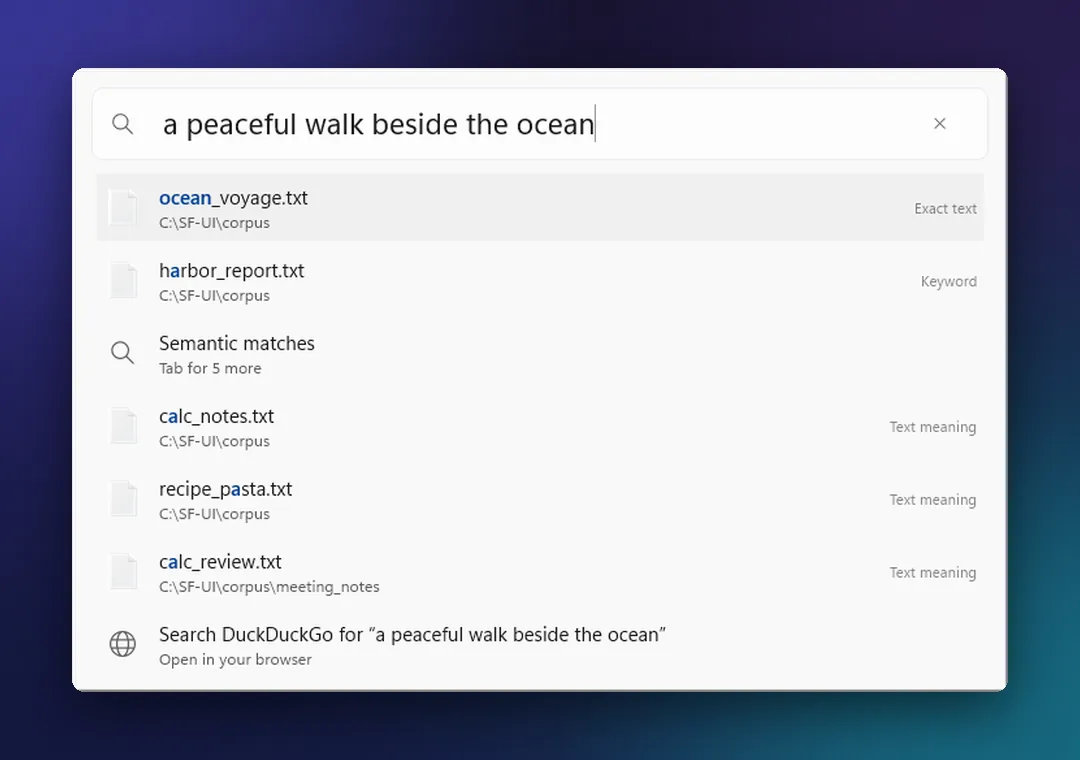
Describe what you remember and EmbedCore finds the document, slide, scan or photo, even when you’ve forgotten its name. It runs on your own computer. Nothing is uploaded, and there’s no account.
Early access and launch news only. See our privacy policy.
01Search by meaning
Ask for a file the way you’d ask a person.
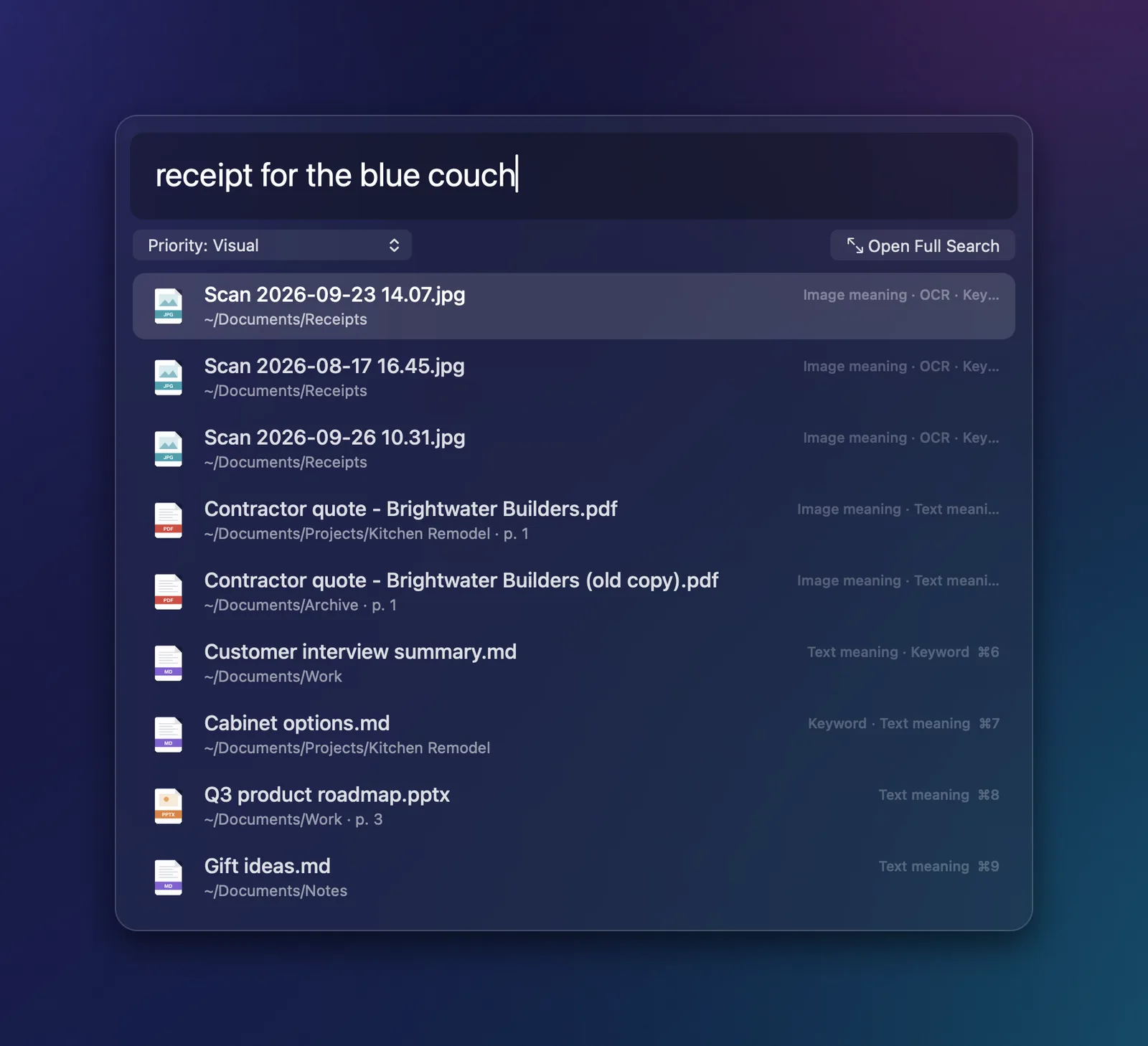
EmbedCore reads what your files are about, not only what they’re called. Search with whatever you remember: a phrase, a topic, a detail in a photo.
Example search
receipt for the blue couch
Scan 2026-09-23 14.07.jpg
~/Documents/Receipts
Text found in the photo: “Blue linen sofa – 3-seat”
slide with last quarter’s hiring numbers
Board update Q3.pptx
Slide 14
“Hiring: 12 of 15 roles filled”
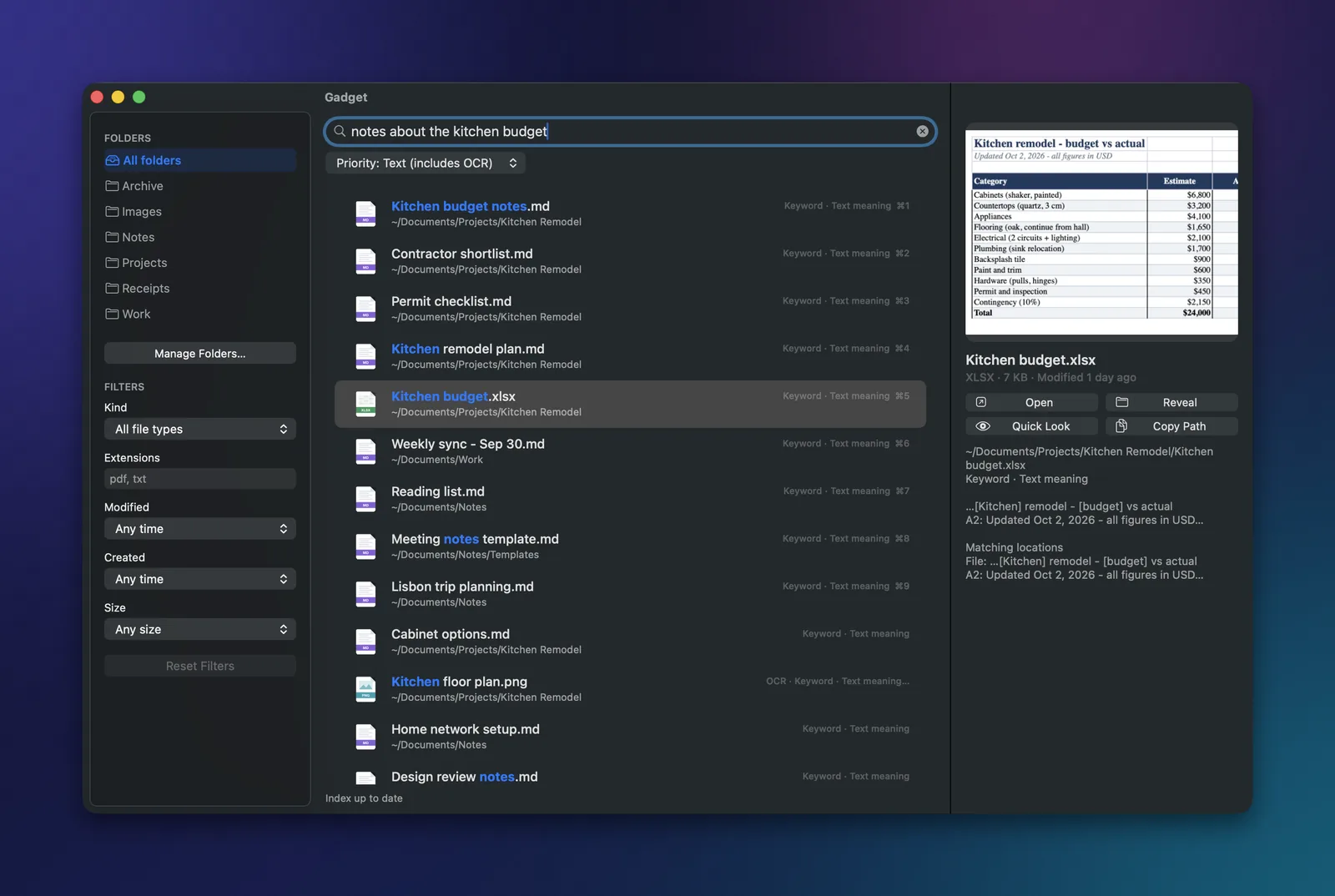
notes about the kitchen budget
Kitchen remodel plan.md
~/Documents/Projects/Kitchen Remodel
About the same thing: “cabinet costs,” “contractor quote”
Illustrative searches. In the app, exact matches come first and files that match by meaning follow.
02Gadget
Press a shortcut. Type what you remember.
Gadget is EmbedCore’s quick search window. Matching apps, exact file names and files that match what you mean all land in one list.
- Names, words and meaning together
- Exact matches appear instantly. Files that match what you meant follow right behind them.
- Reads scans, photos and slides
- Text inside scanned PDFs, photos and presentations is searchable, and results point to the matching page or slide.
- Office files and PDFs, no Office needed
- Word, Excel, PowerPoint, PDF, Markdown, text and more are read right on your computer.
- Actions on every result
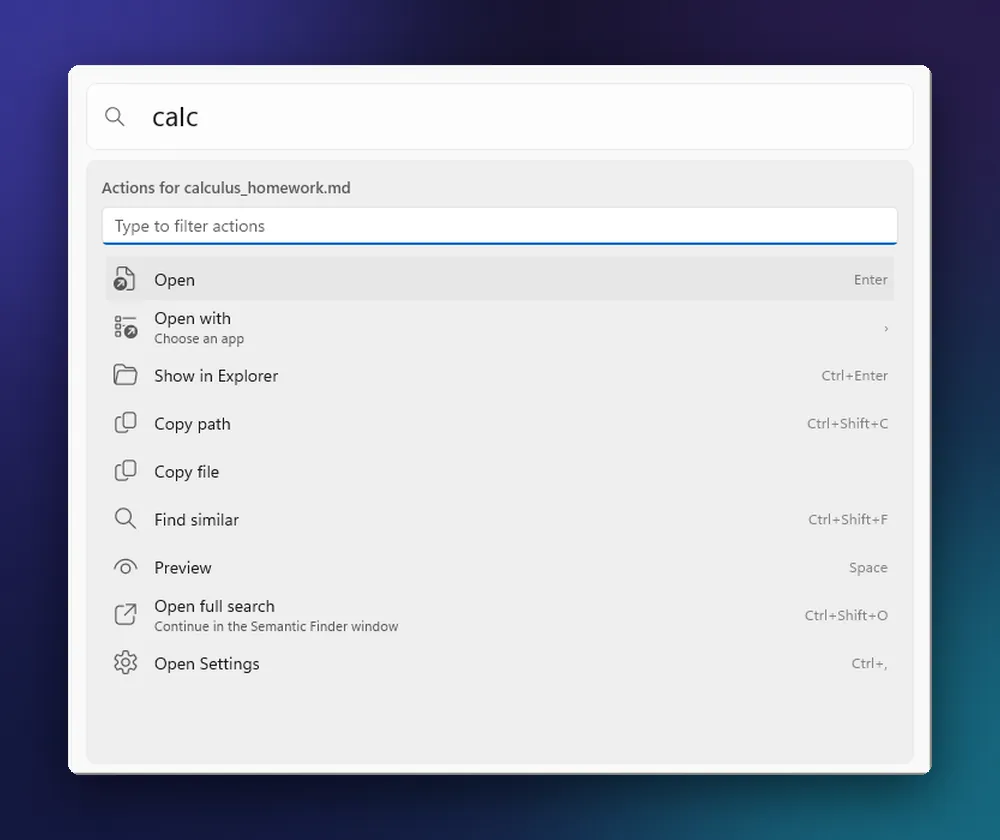
- Open with another app, show a file in its folder, copy its path or find files like it, all from the keyboard.
- Opens apps too
- Your apps show up as you type, from the same shortcut. No digging through the Start menu or Launchpad.
- Filters and duplicate spotting
- Narrow results by file type, folder or date, and spot duplicate copies.
- Search with a picture
- Drop in an image to find similar photos and related documents.Needs the more thorough search setting.
03Find similar
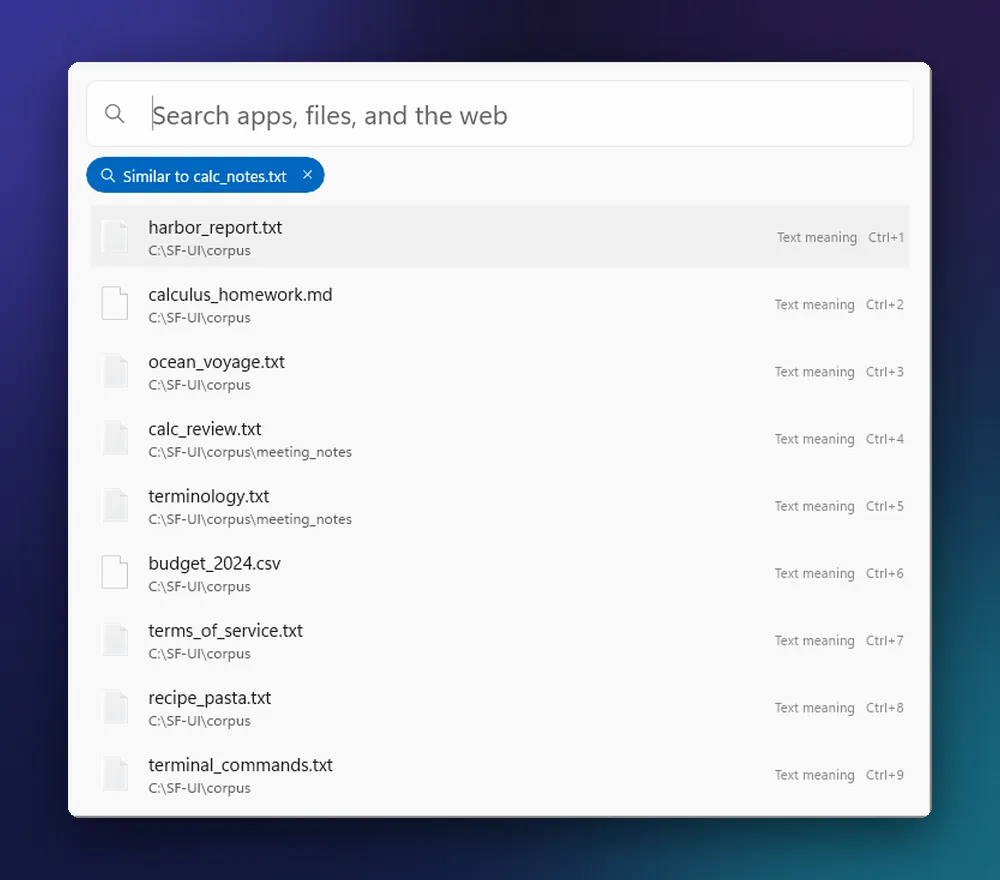
Start from one file. Find its relatives.
Pick any result and ask for more like it. EmbedCore lists the notes, drafts and documents that cover the same ground, even when they use different words. It works from Gadget and from your EmbedCore Docs library.
- CourseworkFound the assignment? Pull up the lecture notes and readings that go with it.
- Client workOpen one note and see the quotes, drafts and meeting notes that belong with it.
- Everything elseYou found one file. Now find the three you forgot you had.
Try it on a novel.
In the browser demo, pick a book, describe a scene, then click any passage to find the passages most like it. It all runs in your browser tab, and nothing you type is sent anywhere.
04EmbedCore Docs
Organize your documents without moving them.
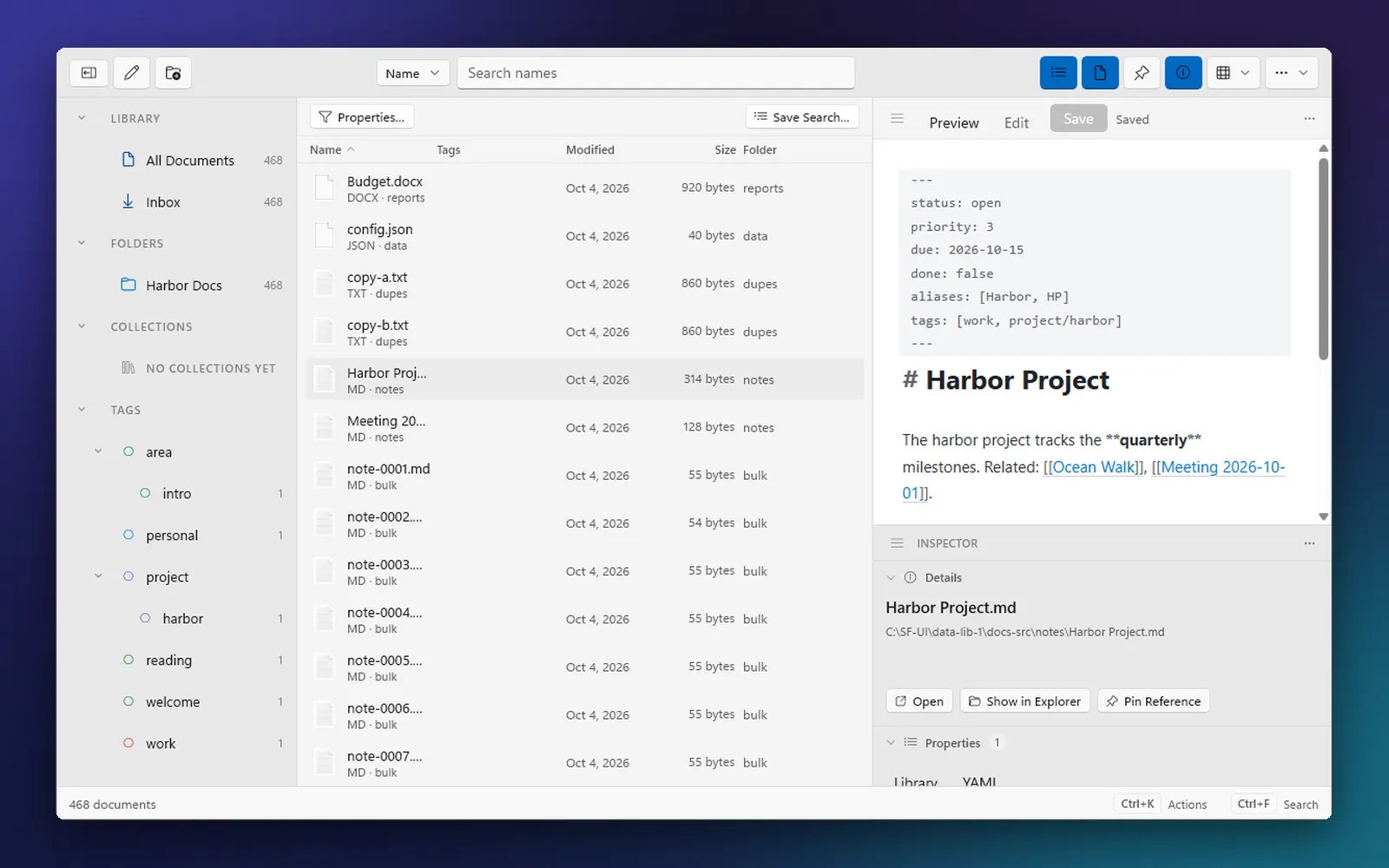
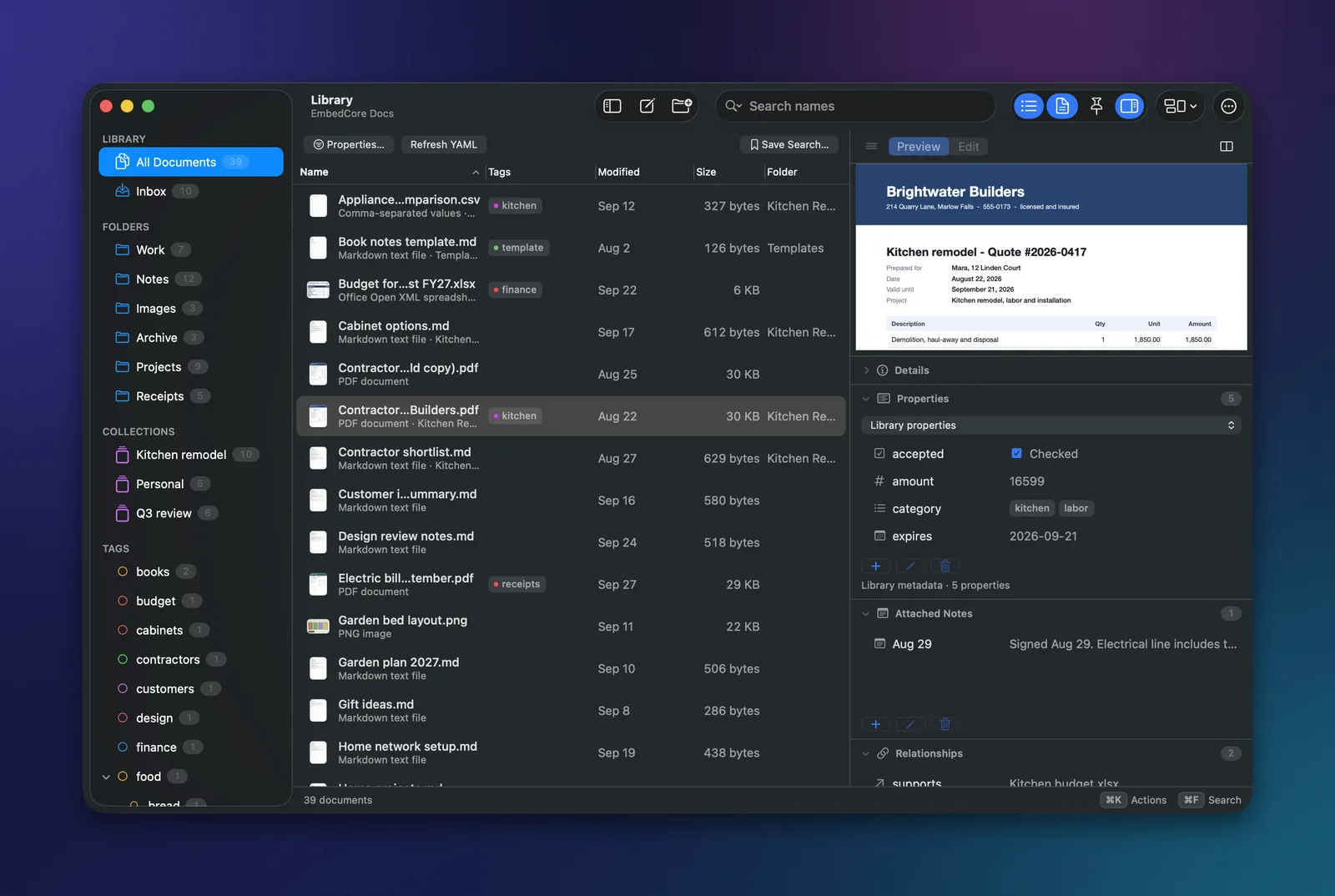
A library window for collections, tags, notes and Markdown, built on the same private search. Your files stay exactly where they are, and Docs is built to keep track of them if they’re renamed or moved.
-
Collections, tags and saved searches
Group documents from any folder, nest tags, and keep the searches you use often one click away. Nothing is copied or moved.
-
Custom properties
Add your own fields to anything from contracts to client notes, then sort and filter by them.
-
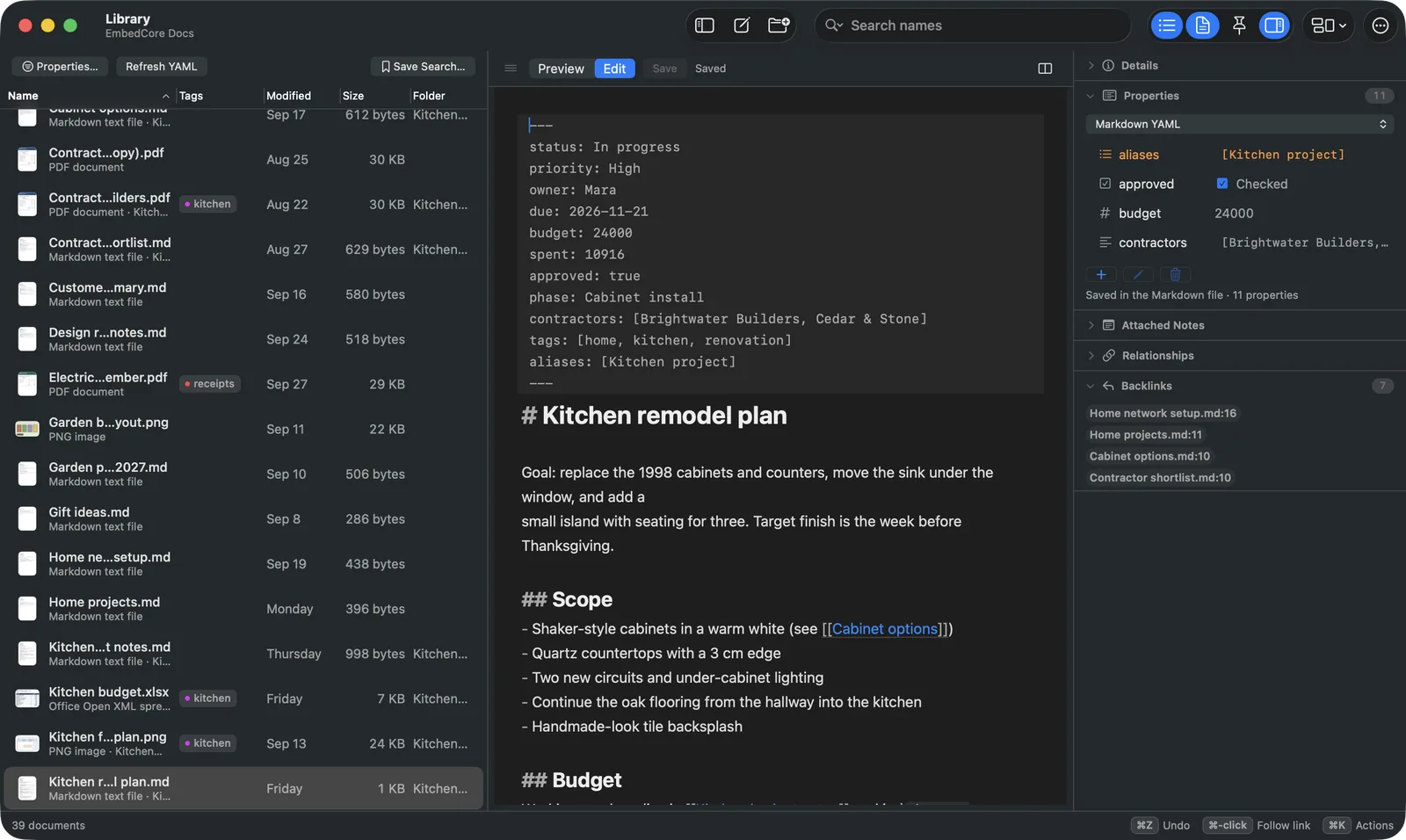
Markdown notes that connect
Write in plain Markdown, link notes to each other and to your documents, and see what links back. Your notes stay ordinary files.
-
Side by side, your way
Keep a scan or PDF open next to the note you’re writing, and arrange the workspace the way you work.
-
Safe by design
See changes before they happen, undo mistakes, and tidy up duplicates with care. Deleted files go to the Trash or Recycle Bin.
-
Backups and searchable PDFs
Back up your library and how it’s organized, and turn scanned PDFs into searchable copies while the originals stay untouched.
05Private by design
Your files never leave your computer.
EmbedCore reads, indexes and searches on your own machine. There’s no account to make, and once its search models are downloaded, searching works offline.
- You choose which folders are searched. Nothing else is indexed.
- Your searches stay on your computer.
- No ads, no tracking, no cloud AI.
Stays on your computer
- Your files
- The text and meaning read from them
- Your search index
- Everything you search for
Goes online
- Search model downloads
- App updates
- License checks, where they apply
None of these ever includes your files, what’s in them, or your searches.
06Fits your computer
Runs on the laptop you have.
EmbedCore is designed to run well on modest hardware, including budget Windows 11 laptops. Trade a little speed for accuracy whenever your computer can spare it.
Search is planned to support English at launch. Exact system requirements will be published before launch.
Reads the files you already have.
Text inside scans and photos is searchable too.
- Documents
- PDF, including scansWord (.docx, .doc)MarkdownPlain textHTMLCSV
- Spreadsheets and slides
- Excel (.xlsx, .xls)PowerPoint (.pptx, .ppt)
- Images and scans
- JPEGPNGTIFFWebPBMPGIFHEIC (macOS)
Format support is being finalized for each platform. Searching inside recordings and videos is planned for later.
07Platforms
Windows 11 and macOS, together.
The same two apps on both desktops, launching at the same time. Linux follows.
-
Windows 11
A native app for Windows 11. Gadget opens from a keyboard shortcut, and EmbedCore Docs has its own window.
Launch platform -
macOS
A native app for Macs with Apple Silicon. Gadget opens from a keyboard shortcut, and EmbedCore Docs has its own window.
Launch platform -
Linux
Planned after Windows 11 and macOS.
Later
Questions, answered.
Does EmbedCore upload my files?
No. Reading your files, building the index and searching all happen on your computer. EmbedCore goes online only for things like downloading its search models and app updates, never to send your files or searches.
Do I need an account?
No. You don’t need an account to index or search your files.
Which files can it search?
PDFs (including scanned ones), Word, Excel and PowerPoint files including older .doc, .xls and .ppt, Markdown, plain text, HTML, CSV, and common image formats such as JPEG, PNG and TIFF, plus HEIC on macOS. Format support is still being finalized for each platform. You choose the folders, and nothing outside them is indexed.
Will it change or move my files?
Gadget only reads your files. EmbedCore Docs organizes documents where they are and only renames, moves or deletes something when you ask, with safeguards such as previews, undo, and the Trash or Recycle Bin instead of permanent deletion.
When can I try it, and what will it cost?
Windows 11 and macOS are the launch platforms, with Linux planned after. No date is announced yet. Join the list below and we’ll email you about early access and launch. Pricing will be announced before launch.
What do I need to run it?
At launch, EmbedCore is planned for Windows 11 and Macs with Apple Silicon. It’s designed to run well on modest hardware, and you can choose a lighter or more thorough search setting. Some features, such as photo search, need the more thorough setting. Search is planned to support English at launch. Exact system requirements will be published before launch.
What is the browser demo?
A small taste of meaning search that runs entirely in your browser. Pick a classic novel or paste your own text and search it by meaning. Nothing you type is sent anywhere.
Early access
Be first to try it.
Join the list for early access and launch news on Windows 11 and macOS. We’ll only email you about EmbedCore.
No spam, and you can unsubscribe anytime. See our privacy policy.